
 English
 русский
 Español
 Deutsch
 عربى
عربى
 0
0

Why is Your Thermal Laminator Jamming and How Can You Fix It Safely?
Content
Why is Your Thermal Laminator Jamming and How Can You Fix It Safely?
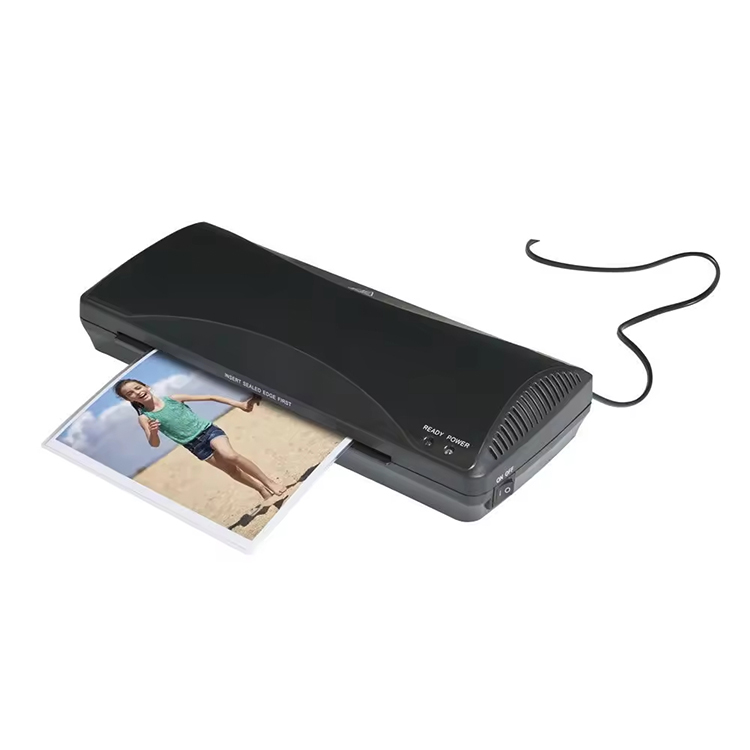
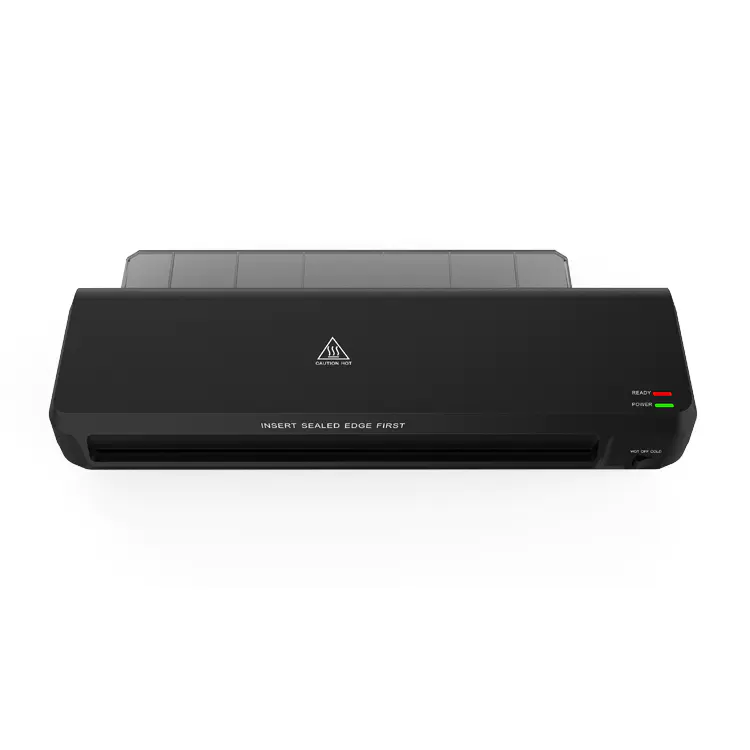
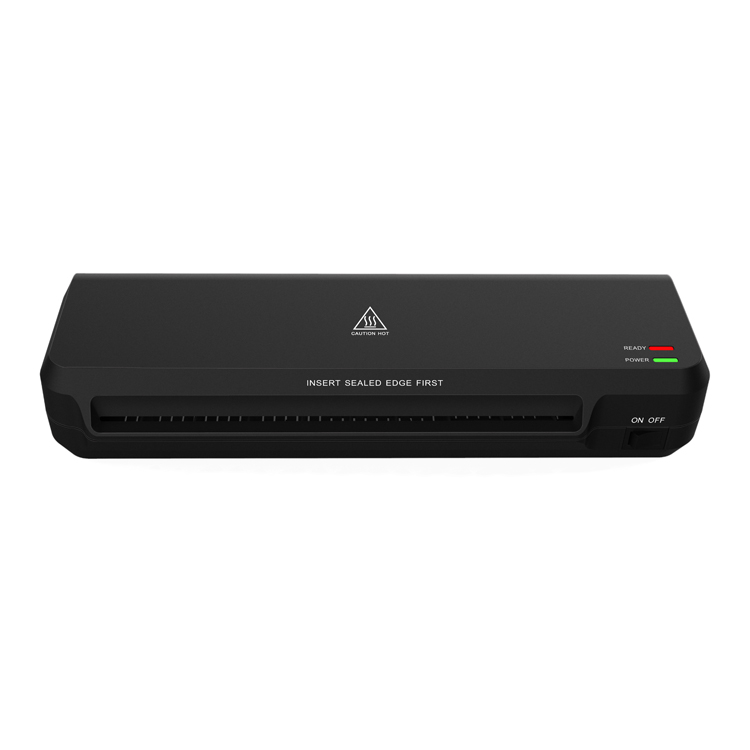
A Thermal Laminator is an essential piece of equipment in modern offices, classrooms, and print shops, designed to provide a protective, crystal-clear plastic shield for important documents. By using a combination of heat and pressure, it seals a plastic pouch around paper to guard against moisture, fingerprints, and physical wear. However, the most frequent technical hurdle users encounter is the “jam.” A jam occurs when the laminating pouch fails to exit the machine correctly and instead becomes entangled within the internal mechanisms. Understanding the mechanical causes of these failures is vital for any professional or educator, as an improperly handled jam can lead to permanent damage to the silicone rollers or even pose a fire hazard if left unattended.
Common Technical Causes of Laminator Jams
Most laminator malfunctions are not due to factory defects but rather a mismatch between user operation and the machine’s specific design tolerances. By identifying these triggers, you can significantly extend the lifespan of your device.
Improper Pouch Insertion and Alignment
The most common cause of a jam is human error during the feeding process. Every laminating pouch has a “sealed edge”—the side where the two layers of plastic are factory-joined—and three open sides. A fundamental rule of lamination is to always insert the sealed edge first. If an open end is fed into the machine, air becomes trapped between the layers, causing the film to ripple and eventually wrap around the drive rollers. Furthermore, if the pouch is inserted at an angle (misaligned), it may strike the internal side-guides of the machine, causing it to accordion or “Z-fold” inside the heating chamber.
Adhesive Seepage and Roller Contamination
Thermal lamination involves melting solid adhesive into a liquid state. During this process, a small amount of glue can “ooze” out from the edges of the pouch, a phenomenon known as seepage. Over multiple cycles, this adhesive accumulates on the silicone rollers, creating a tacky surface. As subsequent documents pass through, this sticky residue can catch the film, pulling it upward and causing it to wind around the roller in a “wrap-around” jam. This is especially common when users try to laminate multiple small cut-outs in a single large pouch without leaving enough space between the items for the plastic to seal to itself.
The Danger of Small Scraps Without Carriers
Attempting to laminate small or irregularly shaped items, such as business cards or star-shaped cut-outs, without a carrier sheet or a full-sized pouch is a high-risk activity. These small pieces lack the structural rigidity required to push past the “exit fingers” (the small plastic guides that direct the document out of the machine). Without a firm document to guide it, the soft, heated plastic can easily droop and get caught in the gears or rollers, resulting in a complex jam that is difficult to clear without disassembling the unit.
Step-by-Step Guide: How to Fix a Jam Safely
When you realize your Thermal Laminator is jamming—often indicated by a stuttering or grinding motor noise, or the document simply failing to appear at the exit tray—speed is essential, but panic must be avoided. Because these machines operate at temperatures between 100°C and 180°C, safety and patience are paramount. Attempting to force a document out with metal tools can permanently scar the rollers, rendering the machine useless for future high-quality work.
Utilizing the Jam Release Lever (ABS)
Most mid-range to high-end thermal laminators are equipped with an ABS (Anti-Blocking System) or a manual jam release lever. This lever is a mechanical bypass that disengages the motor’s drive gears and physically separates the pressure rollers.
The Immediate Response Protocol
As soon as a jam is detected, switch the power off immediately to prevent further melting of the plastic. While the machine is still warm (but not so hot that it burns you), press and hold the ABS lever. This creates a small gap between the rollers, allowing you to gently pull the document back out through the entry slot. It is critical that you do not pull the document through the exit side if it has already begun to wrap around a roller, as this can tear the delicate silicone coating off the roller core.
Managing a “Wrap-Around” Jam
In severe cases, the film may have completely encircled one of the rollers multiple times. In this scenario, the release lever may not be enough.
- The Cooling Strategy: Turn off the machine and let it cool completely. Attempting to peel hot, liquid adhesive off a hot roller is like trying to remove hot wax with your bare hands; it only spreads the mess. Once the plastic is cold, it becomes slightly more rigid and may “pop” off the silicone roller more cleanly.
- Controlled Intervention: If you must use a tool to cut away the film, use a plastic safety blade or a very dull butter knife. Never use a sharp X-Acto blade or scissors, as even a microscopic nick on the silicone roller will create a “ghosting” effect or a recurring bubble on every future document you laminate.
Post-Jam Maintenance and Cleaning
Even after the document is removed, the rollers are likely contaminated with adhesive residue. If this is not addressed, the next document you feed in will stick to the same spot, causing a recurring jam.
- The Cleaning Run: Once the jam is cleared, turn the machine back on and wait for it to reach operating temperature. Run a specialized laminator cleaning sheet (or a clean piece of heavy white cardstock) through the machine three to four times. The dry, absorbent surface of the cardstock will “scrub” the tacky glue off the rollers. If the residue is particularly heavy, you may need to use a specialized roller cleaner fluid, but only apply it when the machine is cool and the power is disconnected.
Technical Comparison: Laminator Features and Jam Mitigation
Not all laminators are created equal when it comes to preventing and handling jams. The hardware configuration plays a massive role in how “user-friendly” the machine is during a crisis.
| Feature | Primary Function | Impact on Jam Frequency |
|---|---|---|
| 2-Roller System | Combines heating and pulling into one step | Higher risk; less tension on the film |
| 4-Roller System | Two rollers for heat, two for flattening | Lower risk; superior film tension |
| Jam Release (ABS) | Manually separates the internal rollers | High; allows for safe manual extraction |
| Auto-Reverse | Detects motor resistance and reverses | Excellent; automated jam prevention |
| Cold Setting | Disables heating elements for pressure-sensitive film | Zero melting risk; prevents adhesive jams |
| Carrier Requirement | Protects machine from excess glue | Lowers maintenance; prevents roller buildup |
FAQ: Preventative Maintenance and Best Practices
Can I use a thermal laminator for gold foil or DIY craft projects?
Yes, but you must be extremely careful. Foiling usually requires higher heat settings than standard paper. If the machine is too hot, the adhesive can liquify too much and “leak” onto the rollers, causing an immediate jam. Always use a carrier sheet (a protective folded folder) when doing foil projects to catch any excess glue or foil flakes.
What is the best way to prevent bubbles and wrinkles?
Bubbles are usually caused by a machine that hasn’t reached the correct temperature or a document that is too thick for the chosen setting. Always wait for the “Ready” light. Wrinkles are often caused by the pouch being fed unevenly; ensuring the pouch is flat and supported as it enters the machine is key to a smooth finish.
Why is my laminator making a squeaking or clicking sound?
This is often a sign of adhesive buildup on the gears or rollers. It means the motor is struggling to turn the rollers against the friction of old, dried glue. This is a “pre-jam” warning sign. You should immediately run a cleaning sheet through the machine to remove any tacky residue before it leads to a full jam.
How do I choose between 3mil and 5mil pouches?
“Mil” refers to the thickness of the plastic (one-thousandth of an inch). A 3mil pouch is flexible and good for general documents. A 5mil pouch is stiffer and provides more protection but requires more heat. If you use a 5mil pouch on a machine set to 3mil, the glue won’t melt properly, which can cause the document to slip and jam inside the rollers.
References and Citations
- ISO 18922:2026: Imaging materials — Processed photographic films — Methods for determining the resistance to lamination and heat.
- Office Equipment Manufacturers Association (OEMA): Technical Guidelines for the Safe Operation of Thermal and Cold Lamination Systems.
- ASTM D5946: Standard Test Method for Determining the Adhesion of Plastic Film to Paper via Thermal Bonding.
- National School Supply and Equipment Association (NSSEA): Maintenance Standards for Educational Lamination Equipment (2026 Edition).


-
 Kaifat Group, No.599, Qiming Road, Yinzhou Incubation, Ningbo, China
-
 +86-574-55665196
-
 [email protected]
