
 English
 русский
 Español
 Deutsch
 عربى
عربى
 0
0

Why Should You Use a Thermal Laminator for Documents and Photos?
Content
Introduction
In both home and office settings, preserving documents, photos, and important papers is a critical task. Items like certificates, business documents, artwork, and cherished photographs are prone to wear and tear if left unprotected. Using a thermal laminator provides an efficient and professional way to safeguard these items from physical damage, moisture, and fading.
Thermal laminators are devices that use heat to fuse a plastic film onto documents or photos, creating a protective layer. Unlike cold lamination or manual protection methods, thermal lamination offers stronger adhesion, longer-lasting results, and a polished finish. For parents, educators, business professionals, and hobbyists alike, investing in a thermal laminator ensures that important documents maintain their quality over time, while photos retain vibrant colors.
What Is a Thermal Laminator and How Does It Work?
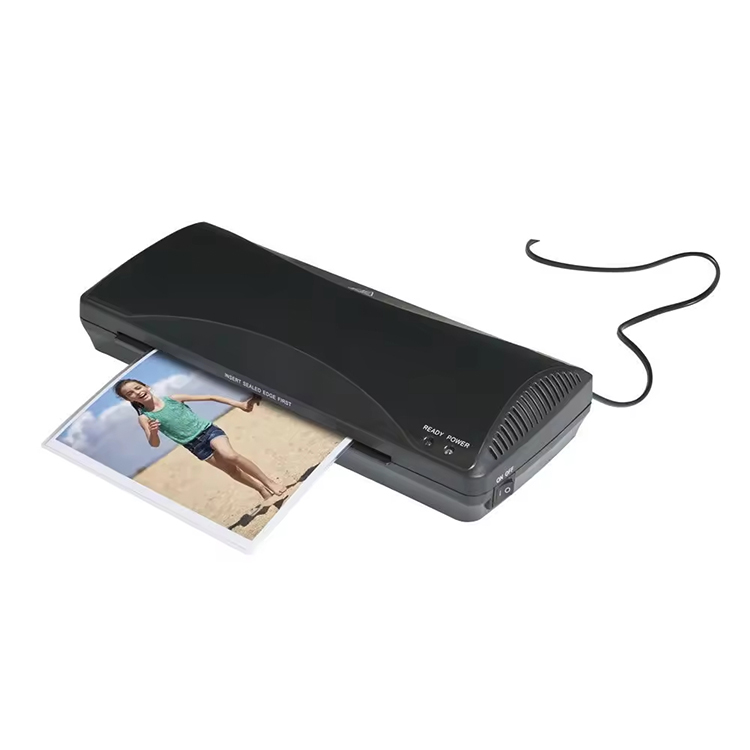
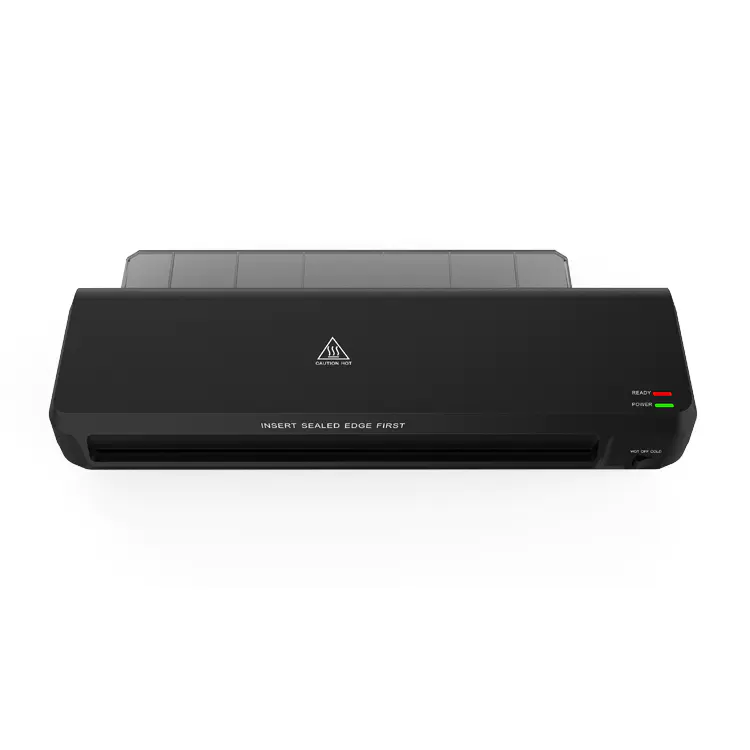
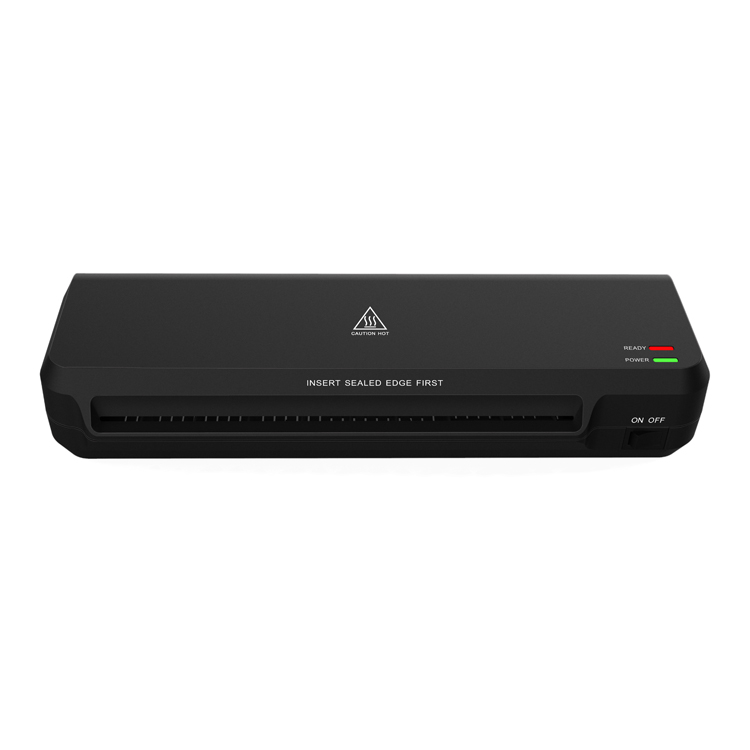
A thermal laminator is an electronic device designed to apply heat and pressure to laminate sheets or pouches. The device heats the adhesive inside a laminating pouch, which then fuses to the document or photo as it passes through the machine’s rollers. This process results in a smooth, sealed surface that protects against spills, dirt, wrinkles, and fading.
The lamination process is straightforward. Users place the item inside a laminating pouch, align it carefully, and feed it through the preheated laminator. As the rollers pass over the pouch, the heat activates the adhesive, bonding the plastic tightly to the paper. After cooling, the laminated item is strong, water-resistant, and ready for handling. Thermal laminators can accommodate various sizes and thicknesses of documents, making them suitable for professional and home use.
Key Benefits of Using a Thermal Laminator for Documents and Photos
1. Durability and Protection
A primary advantage of a thermal laminator is its ability to enhance durability. Laminated items are shielded from moisture, dirt, spills, and physical damage. This is particularly important for photographs, which can fade over time when exposed to sunlight or humidity, and for important documents like certificates or IDs, which could be damaged by frequent handling.
2. Professional Appearance
Lamination provides a professional, polished finish that makes documents and photos look high-quality. For businesses, this can improve presentation materials, menus, signage, and brochures. For personal use, laminated photos and artwork appear vibrant and well-preserved. Laminated items are also easier to handle, transport, and display without worrying about tears or creases, making them ideal for portfolios, educational materials, or family keepsakes.
3. Cost-Effectiveness and Convenience
Using a thermal laminator is also cost-effective. The devices are relatively affordable, and they eliminate the need to repeatedly replace damaged documents or seek professional lamination services. Laminating at home or in the office saves both time and money while allowing for immediate use of laminated items. The process is quick, efficient, and requires minimal setup, making it practical for both small and large projects.
Thermal Laminator vs Cold Laminator
| Feature | Thermal Laminator | Cold Laminator |
|---|---|---|
| Adhesion Method | Heat activates adhesive | Pressure activates adhesive |
| Speed | Fast, suitable for multiple items | Slower, may require multiple passes |
| Durability | Strong, long-lasting | Moderate, may peel over time |
| Ideal Materials | Photos, documents, artwork | Documents, limited photo use |
| Ease of Use | Simple, minimal setup | Requires careful handling |
| Cost | Affordable for home or office use | Can be more expensive |
How to Use a Thermal Laminator for Documents and Photos
Using a thermal laminator correctly ensures optimal results and extends the lifespan of your laminated items. First, preheat the laminator according to the manufacturer’s instructions; most devices take 3–5 minutes. Next, insert the document or photo into a laminating pouch, ensuring proper alignment with a border around all edges.
Feed the pouch through the laminator slowly, allowing the heated rollers to seal the plastic evenly over the item. Once laminated, let the item cool for a few seconds before handling. Optional trimming can remove excess plastic for a cleaner appearance. By following these steps, users can achieve professional-quality lamination at home or in the office without the risk of bubbles, wrinkles, or uneven adhesion.
Tips for Effective Thermal Lamination
- Choose the correct pouch thickness: Thicker pouches provide extra protection but require compatible laminators.
- Avoid overloading: Laminating multiple sheets at once can cause jams or uneven bonding.
- Store laminator properly: Keep it clean and dust-free to prevent adhesive build-up.
- Trim with care: Use scissors or a paper cutter to remove excess laminate without damaging the item.
- Allow proper cooling: Handling immediately after lamination can cause warping or bubbles.
Proper technique ensures laminated items remain durable, attractive, and fully protected for long-term use.
FAQ
Q1: Can thermal laminators be used for photographs?
A1: Yes, thermal laminators are ideal for photos, protecting them from moisture, dirt, and fading while preserving colors.
Q2: Can I laminate multiple documents at once?
A2: It depends on your laminator’s capacity. Most can handle documents up to 5mm thick, but check the device specifications.
Q3: How long does a thermal laminator take to warm up?
A3: Typically, 3–5 minutes. Most models indicate readiness with a light or sound signal.
Q4: Are thermal laminators easy for beginners to use?
A4: Yes, they are user-friendly and require minimal setup, making them suitable for home, office, and school projects.
Q5: How do I prevent jams in a thermal laminator?
A5: Ensure the laminator is fully heated, feed pouches slowly, and avoid overloading with multiple sheets at once.
References
- Consumer Reports. Best Thermal Laminators for Home and Office Use.
- Office Depot. How to Laminate Documents and Photos at Home.
- Laminating Solutions. Thermal vs Cold Laminators: Which Is Right for You?
- OfficeMax. Tips for Effective Lamination of Documents and Photos.


-
 Kaifat Group, No.599, Qiming Road, Yinzhou Incubation, Ningbo, China
-
 +86-574-55665196
-
 [email protected]
